
twiinworkspace Feature Drop
Our latest release brings two new powerful features designed to make managing your workplace simpler, smarter and more streamlined. Helping you manage your workspace operations with even greater control, transparency and ease. Say hello to the brand-new Booking Calendar and Events!
Introducing the New Booking Calendar
Booking meetings just got a whole lot better
The new Booking Calendar introduces a fully interactive timeline, giving you a faster and more intuitive way to manage room and space bookings.
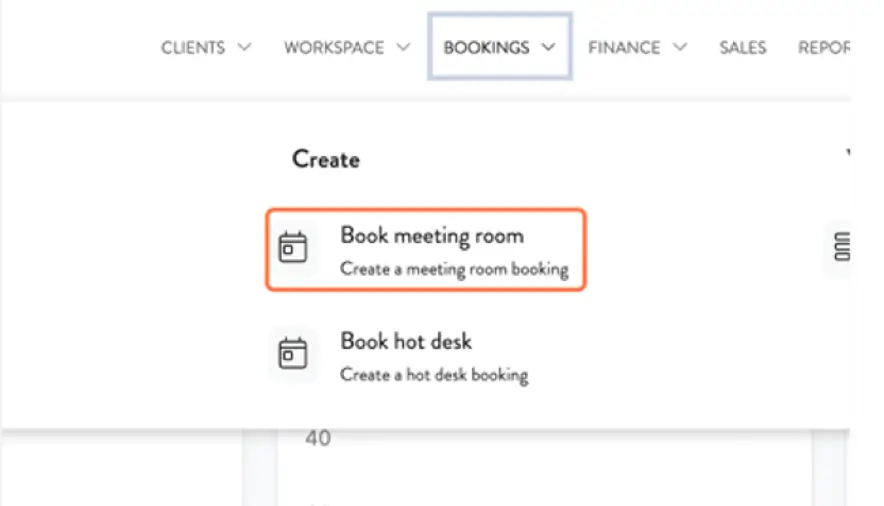
To access it, navigate to Bookings → Book a Meeting Room from the main menu.
Get an instant view of availability across your buildings, create bookings in seconds, and choose between multiple views depending on how you prefer to work.
What’s new?
The new Booking Calendar brings all your bookings together into one powerful, interactive view.
Here’s what’s possible:
- See bookings across all your buildings on a live, colour-coded timeline.
- Click and drag to create bookings in seconds
- Filter by building, room, region or booking status
- Switch between timeline, week and list views
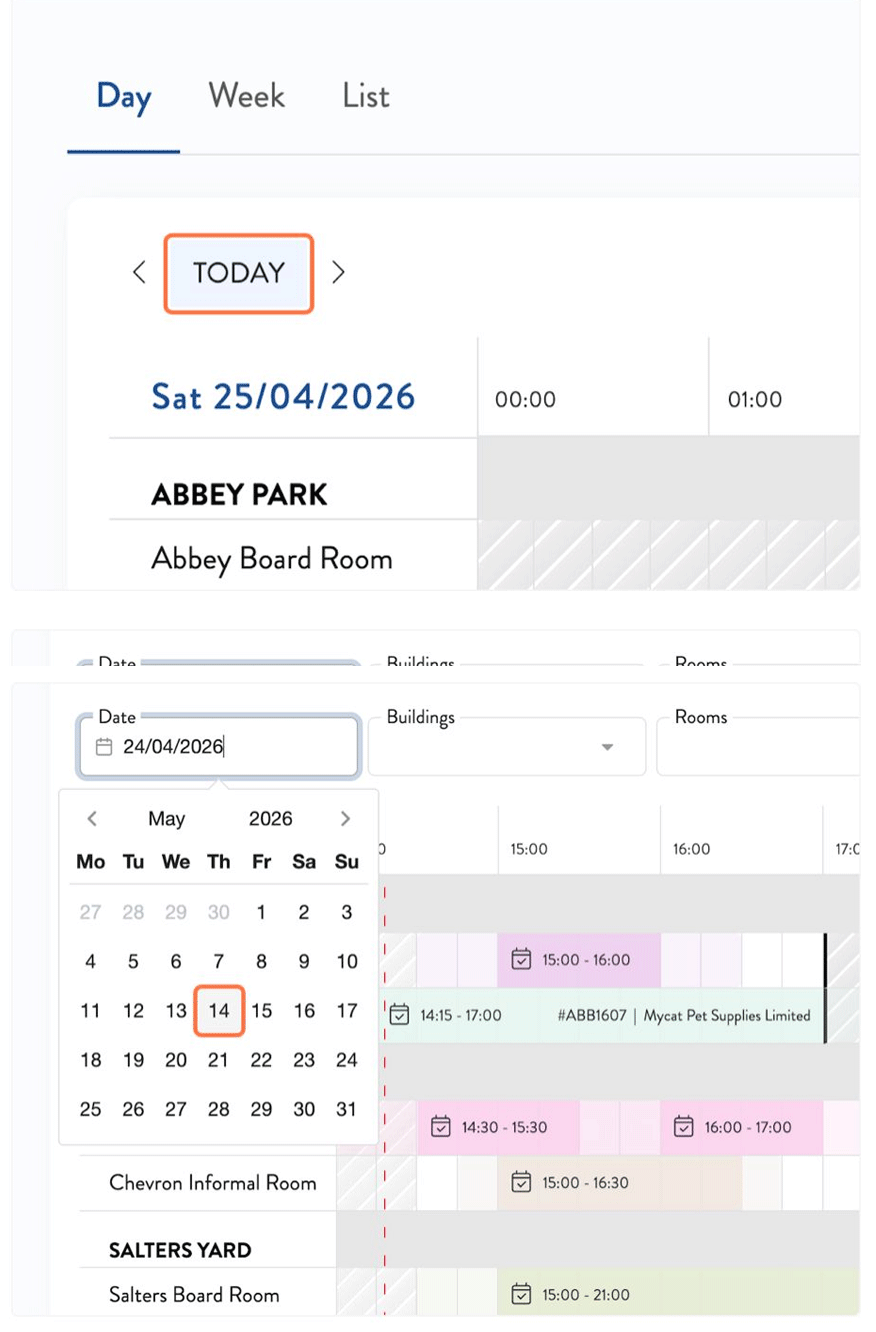
- Navigate quickly to any date
- See building opening and closing times
- Create recurring bookings as before
Timeline View
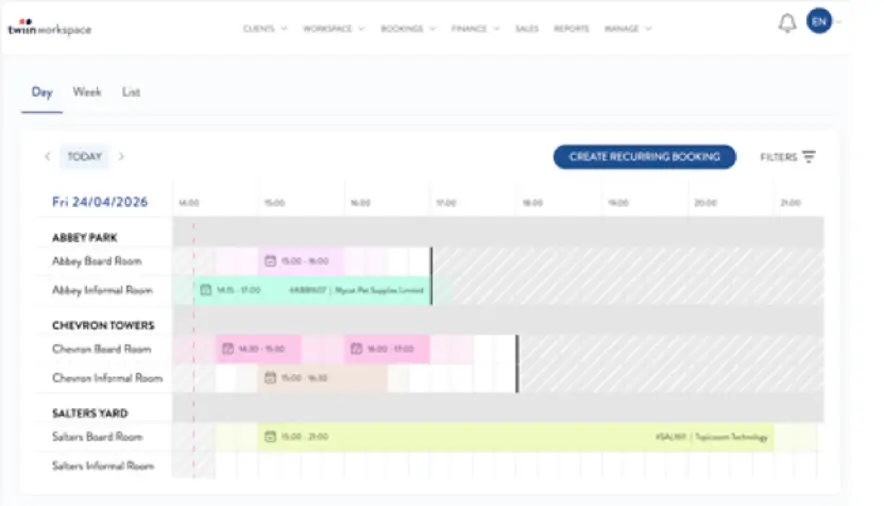
The timeline view is your default view when opening the Booking Calendar.
Each row represents a room or space, while bookings appear as colour-coded blocks along a horizontal timeline. This makes it easy to spot availability, identify scheduling conflicts and see upcoming bookings. You can also hover over the booking to see the meeting time, client name, and booking reference.
To make things even simpler, when viewing today's bookings, the calendar automatically jumps to the current time so you can immediately see what's happening right now.

Create Bookings Faster
Creating a booking is now quicker than ever.
Simply click and drag across the timeline to select a start and end time. The booking form opens automatically with the details already filled in.
Prefer to enter the details manually? Click anywhere on the calendar to open the booking form. Recurring bookings can still be created directly from the Booking Calendar.
Smarter Filtering
Managing multiple buildings or a large portfolio? Our filtering tools help you find the right information with ease.
Filter by:
- Building
- Room
- Region
- Booking status
Combine filters to create your ideal view and find exactly what you need in seconds.

Choose the View That Works for You
Everyone works differently, which is why the Booking Calendar gives you multiple ways to view your bookings.
Week View
Plan ahead with a seven-day overview of upcoming bookings and availability.
List View
Prefer to scroll? View bookings in a simple list, ideal for a quick scan or tracking down a specific booking.
Introducing Events
Manage multi-day bookings with ease.
With Events, you can now group multiple room and space bookings together under a single Event.
Create an Event, set a date range, and add all related bookings underneath it. Whether you are hosting a conference, corporate training or community event you’ll benefit from less admin and smoother invoicing.
What you can do with Events
Group bookings together
Send approval requests
Simplify Invoicing
What’s coming next
This is only the beginning for Events.
Coming soon, you’ll be able to:
- Publish Events directly to twiinportal
- List internal events
- Manage guest registration
- Offer paid and free event ticketing
Stayed tuned for updates as new features land.